Living full time on a sailboat while working full time is a bit of a challenge internet wise. Now if I were simply tied to a dock and living in a marina perhaps not so much of a challenge but the point of a sailboat is to sail and to roam and to explore.
We’ve gone through several solutions most of them cell phone tower based and they all worked wonderfully but being cell phone tower based they were limited by the locations of the cell towers. There were a few places along the US East Coast where they simply didn’t work.
I’m thinking of being on Cliff Island in Portland Maine where we had to go to shore and walk a mile to the island’s public library to use internet on the porch of the library so we could get our work done because there was no internet on the boat.
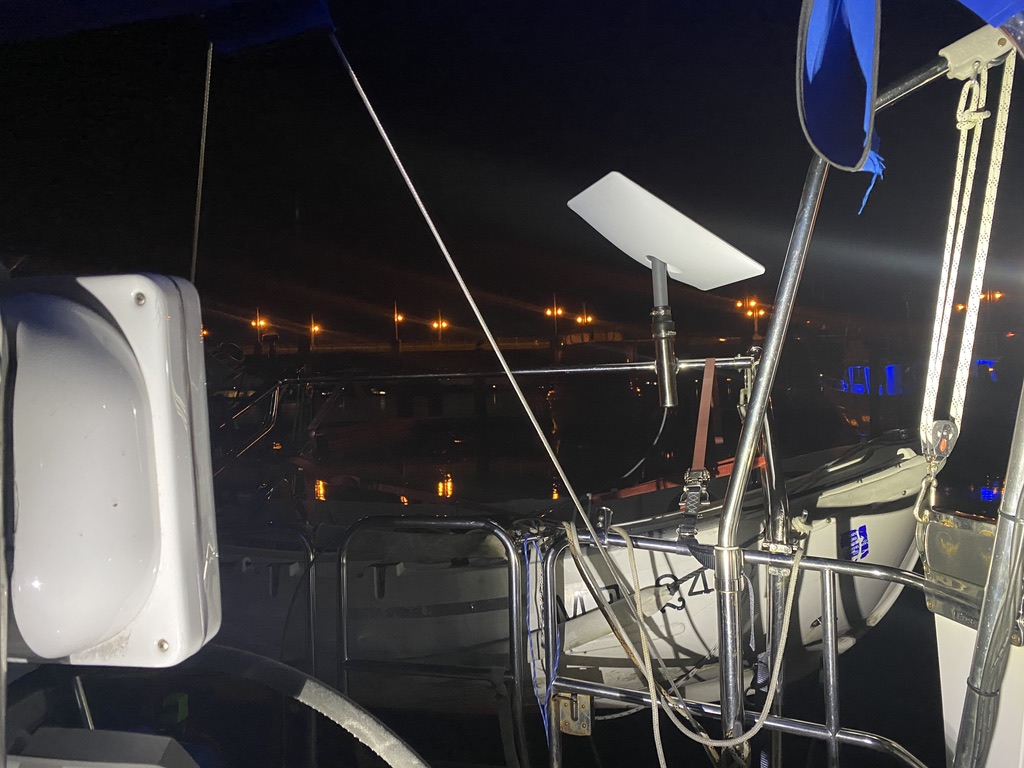
Starlink eliminates that issue. But it does come with a few challenges. First is mounting. The long term plan is to build a solar arch this next summer and I want to integrate both a mounting bracket for Starlink as well as a spot for a set of Ham Radio Antennas that will let me go “All Band” whenever I want. So we needed a temporary solution that would last at least six months probably closer to nine months. But no drilling new holes since I couldn’t be sure that the holes would be in the same place.

The solution we came up with is one that seems popular. A rail mount with a flexible plumbing coupling from the hardware store. It works like a charm and then we run the cable through my cabin window, under my door, across the floor, and then up to the starlink modem. Which is then powered by the inverter.
While we’re at anchor at Cumberland Island I’m going to use some Gaffers Tape to tape it all down and then we’ll pull it up and a few months to put it down proper but for now this is what we’re doing.
Starlink is amazing. Blazing fast, works without dead spots, and have I mentioned how fast it is? There are a few drawbacks though. The first is of course that it needs electricity. About 5amps all the time. The 4G hotspots were much less. Second is that since we turn it off most of the time when we turn it on it takes about 30 minutes to connect to the network. Not a big deal if you’re always planning ahead. I think that on days when I have an afternoon meeting and we’re going to do a morning ashore I may turn it on before we leave for sore just to make sure it’s connected when we get back since sometimes I cut those a bit close.
I’ve used it for several months now and it’s been great for audio calls, video calls, and everything else we’ve tossed it’s way. The only thing we haven’t tried is leaving it on when underway offshore. Perhaps on our next hop.
 From The Galley